


On this site, you will find a step-by-step guide on how to run the mail server Mailcow on CloudPanel.
The mail server Mailcow is a dockerized application that is addressed via Reverse Proxy.
systemctl stop postfix && systemctl disable postfix
curl -sSL https://get.docker.com/ | CHANNEL=stable sh && apt install docker-compose-plugin

HTTP_PORT=7080
HTTP_BIND=127.0.0.1
HTTPS_PORT=7443
HTTPS_BIND=127.0.0.1
cd /opt/mailcow-dockerized/ && docker compose pull && docker compose up -d
The mail server Mailcow is a dockerized application that is addressed via Reverse Proxy.
System Requirements
- >= 1 Core
- >= 6 GB of RAM
- >= 20 GB Disk
Disable Postfix
Login via SSH as root and stop and disable the postfix service:systemctl stop postfix && systemctl disable postfix
Docker Installation
- Login via SSH as root:
- Install Docker with Docker Compose with the following command:
- Ubuntu 22.04 LTS
- Debian 11 LTS
curl -sSL https://get.docker.com/ | CHANNEL=stable sh && apt install docker-compose-plugin
Mailcow Installation
- Clone the Mailcow Git Repository to /opt/mailcow-dockerized:
- Initialize Mailcow by executing the generate_config.sh script:
- Set the Mail server hostname (FQDN), e.g., mail.domain.com.
- Open the configuration file and change the values for HTTP_PORT, HTTP_BIND, HTTPS_PORT, HTTPS_BIND.
HTTP_PORT=7080
HTTP_BIND=127.0.0.1
HTTPS_PORT=7443
HTTPS_BIND=127.0.0.1
Starting Mailcow
To start Mailcow, we go to the directory /opt/mailcow-dockerized/ and launch the docker containers.cd /opt/mailcow-dockerized/ && docker compose pull && docker compose up -d
Reverse Proxy Configuration
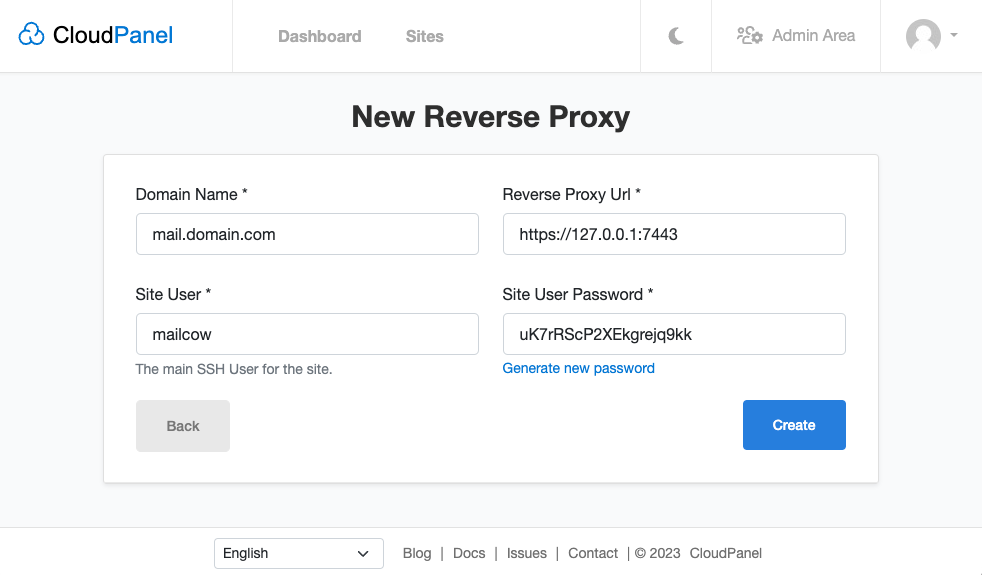
To access Mailcow via our domain https://mail.domain.com, we create a Reverse Proxy and forward the traffic to port 7443.- In CloudPanel, create a Reverse Proxy with your Domain Name and https://127.0.0.1:7443 as Reverse Proxy Url.
- Go to your Reverse Proxy and issue an SSL/TLS Certificate.
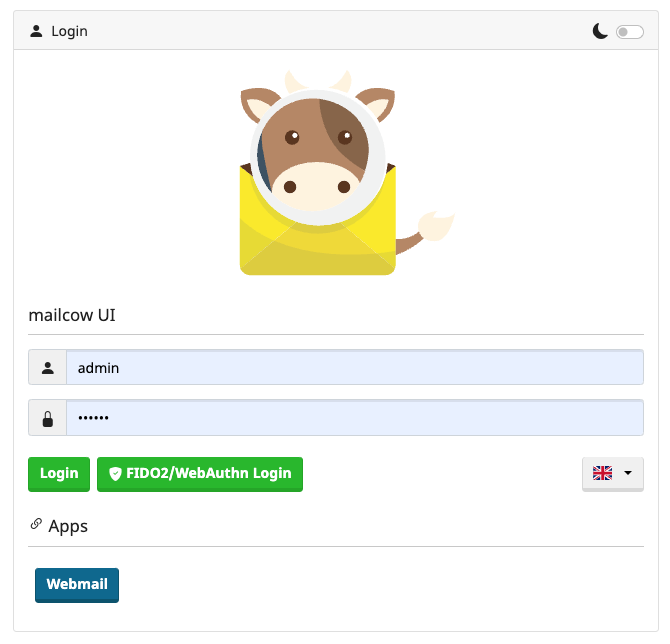
- Done. You can now login https://mail.domain.com with the username admin and password moohoo.
- For security reasons, we recommend putting a Basic Authentication in front of your Mailcow installation.